
Build real-time applications with your AI assistant, powered by ART MCP Server

Overview

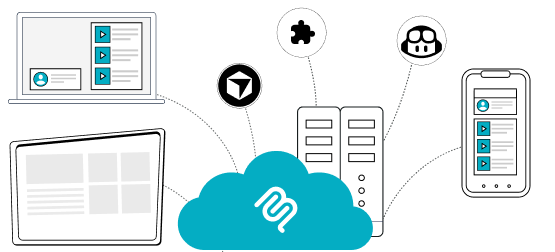
ART MCP Server acts as a bridge between your development environment and ART’s real-time platform.

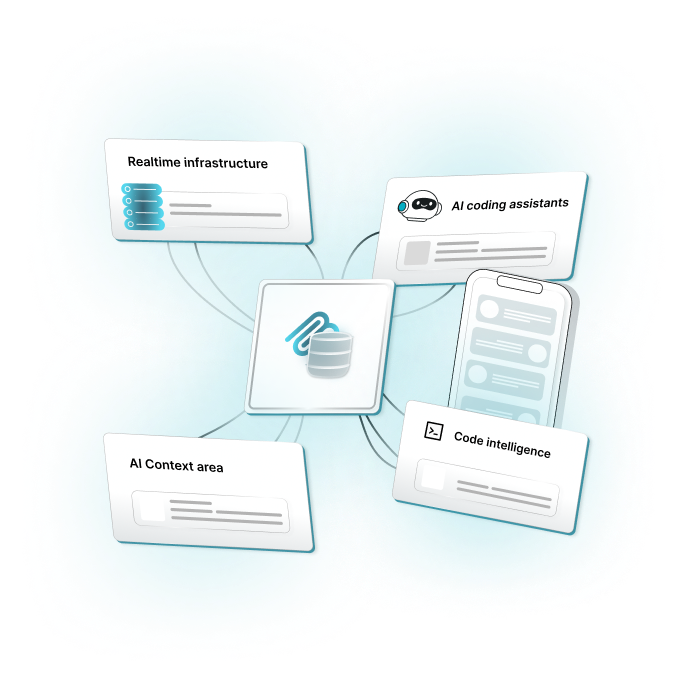
When connected to an IDE like VS Code or Cursor, it allows AI-powered tools to work with ART using actual platform knowledge, not assumptions. The MCP Server exposes ART’s documentation, APIs, and real-time building blocks in a structured way that AI tools can reliably consume.

This means when a developer asks the AI to build something, the request is interpreted in the context of ART’s capabilities, ADKs, and recommended patterns. The AI is no longer generating generic code. It is generating code that is aligned with how ART is designed to be used.

Instead of manually switching between documentation, examples, and editor windows, developers can describe what they want to build directly in the IDE. The MCP Server supplies the necessary context so the AI can respond with relevant architecture, configuration, and implementation steps.

Image showing glimpse of ART real time messaging

The Challenge We Solve

Traditional Development Pain Points.

Documentation Access

Documentation Access

ART documentation is comprehensive across APIs, workflows, and examples. MCP makes this knowledge instantly available while you build.

AI Context

AI Context

Standard AI assistants lack real-time system context. MCP supplies that awareness for more accurate suggestions.

Implementation Uncertainty

Implementation Uncertainty

Without direct access to up-to-date technical details, teams waste time debugging integration issues and outdated code patterns.

Knowledge Flow Gaps.

Knowledge Flow Gaps.

New team members face steep learning curves when adopting real-time technologies in their applications.

The ART MCP Solution

What Makes Us Different

Direct AI Integration

Direct AI Integration

Your coding assistant becomes an expert in real-time development, with instant access to ART’s complete technical knowledge base embedded directly into your workflow.

Explore
Contextual Intelligence

Contextual Intelligence

Rather than generic code snippets, receive implementation guidance tailored to your specific use case, architecture, and requirements.

Explore
Workflow Native

Workflow Native

Works invisibly within your existing development environment—no separate tools, dashboards, or context switching required.

Explore
Always Current

Always Current

Automatic synchronization ensures your AI assistant references the latest API versions, best practices, and implementation patterns.

Explore

Core Capabilities

This platform helps users discover AI products and share insights on advancements in artificial intelligence.
Intelligent Documentation Access

Intelligent Documentation Access

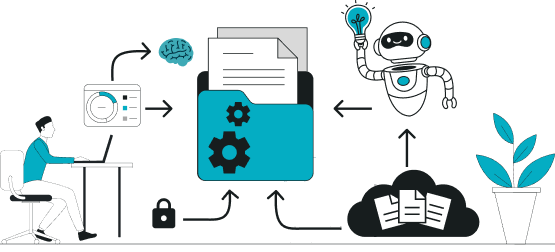
The MCP server provides your AI assistant with structured access to:

  • Complete API reference documentation.
  • ADK implementation guides across all supported languages.
  • Architecture best practices and design patterns.
  • Troubleshooting guides and common solutions.

Live API Exploration

Your AI can interact directly with ART to:

  • Validate connection configurations.
  • Test message delivery patterns.
  • Query channel states and user presence.
  • Retrieve historical data for analysis.
  • Verify authentication and security settings
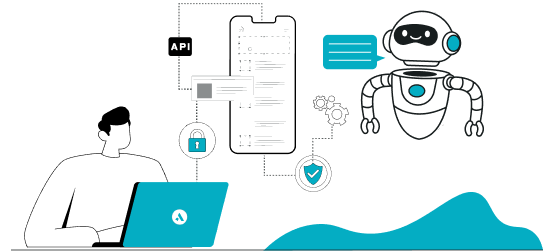
Live API Exploration
Multi-Platform Support

Multi-Platform Support

Works seamlessly with popular AI development tools:

  • Cursor AI
  • GitHub Copilot
  • Any tool supporting the Model Context Protocol.
  • Claude Desktop and Claude Code
  • Visual Studio Code AI extensions

Developer Impact

What changes when your AI works with real platform context.

Real-Time Status Tracking icon image

Accelerated Learning Curve

New team members gain expert-level knowledge through their AI assistant, dramatically reducing onboarding time and documentation dependency.

Dynamic Updates icon image

Reduced Context Switching

Stay in your code editor. Your AI assistant handles documentation lookup, example finding, and implementation verification without breaking your flow.

Event-Driven Interaction icon image

Consistent Code Quality

AI suggestions based on verified patterns and current best practices lead to more maintainable, performant code across your team.

Event-Driven Interaction icon image

Faster Debugging

When issues arise, your AI assistant can cross-reference error messages with known solutions and suggest specific fixes based on your implementation context.

Ready to transform your development workflow?

Install the ART MCP Server today and experience the future of AI-assisted real-time development.